Documents
Documents that have been uploaded in PDF can be queried via the agent. This is implemented by RAG. RAG (Retrieval-Augmented Generation) is a technique that combines a language model with an external knowledge source. Instead of relying only on what the model learned during training, the system first retrieves relevant documents or data (e.g., from a database, vector store, or the web) based on the user's query, then feeds that retrieved content to the model along with the prompt so it can generate a response based on your own data.
Upload
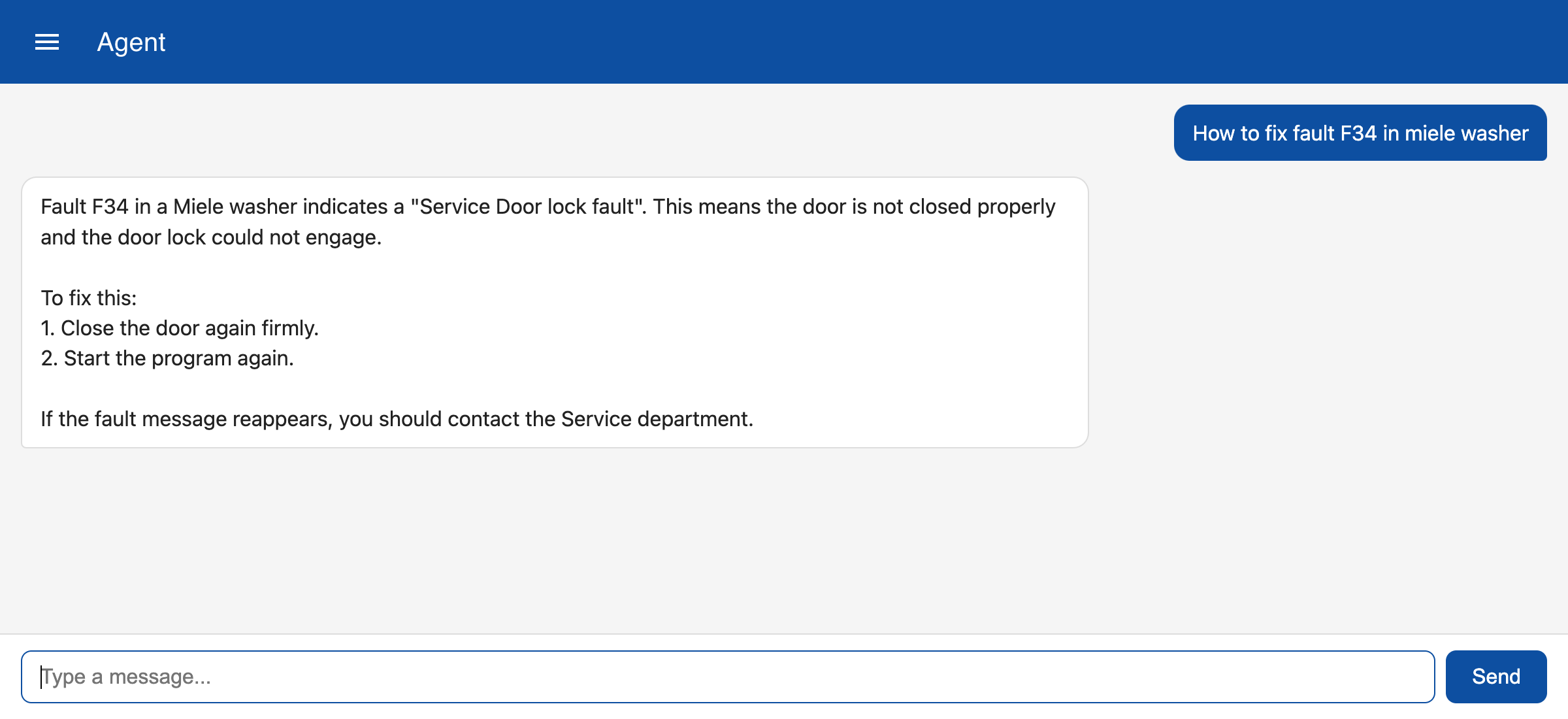
You can upload a file via the portal. In the navigation menu click on Documents. You can search for existing documents by entering a search term like Miele. Click on upload to add a new document.
Query
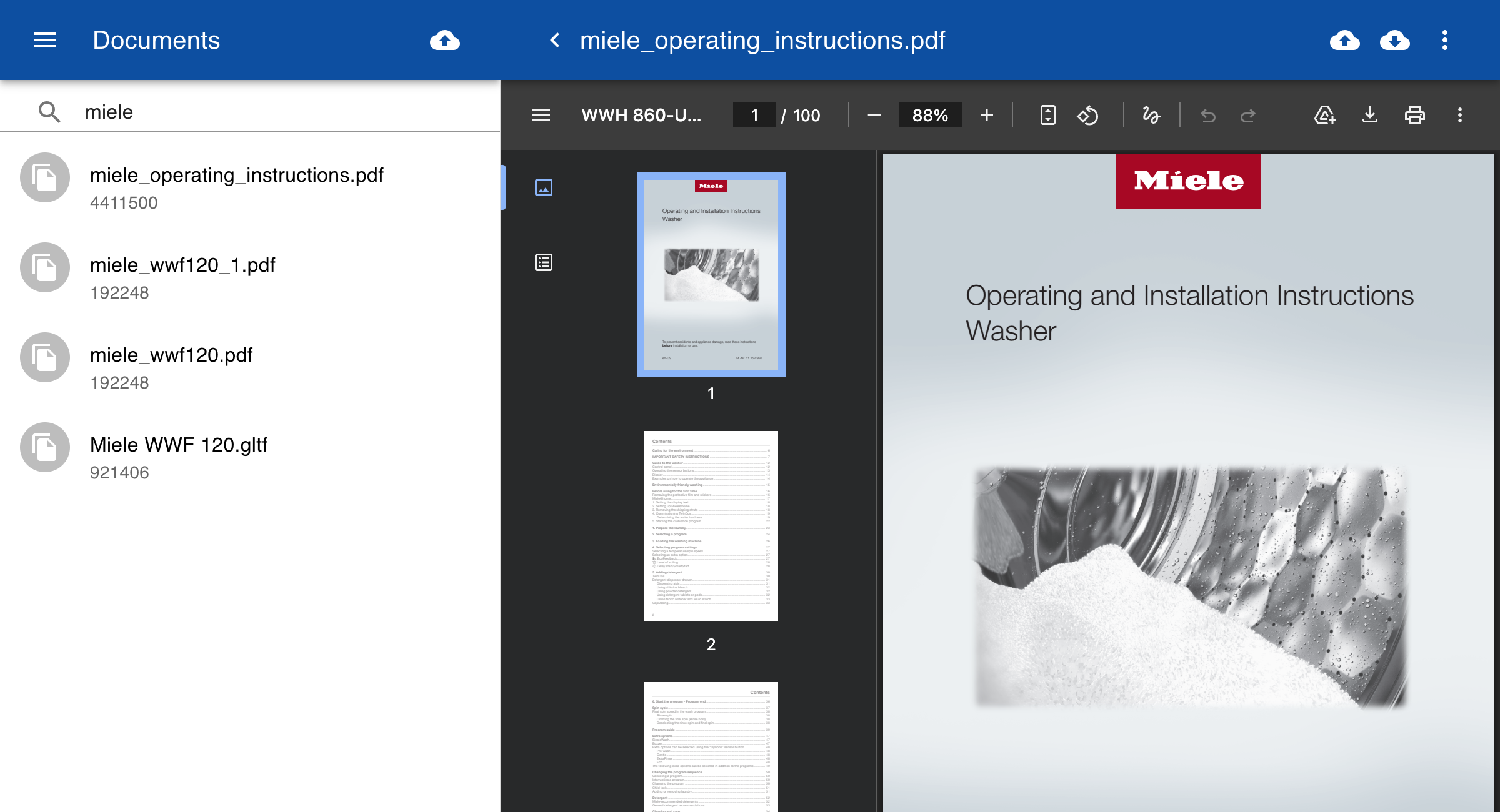
To query on the contents of documents, click on the Agent link in the navigation menu and type your question. The system will search for relevant information in the uploaded documents and pass this to the LLM. The LLM wil use this information to answer your question.