Forecast
After training a dataset the trained model can be used to forecast the value. For example, you can use a regression forecast to predict the disk usage of a server in three months from now. This can help to plan infrastructure upgrades and avoid downtime.
Dataset
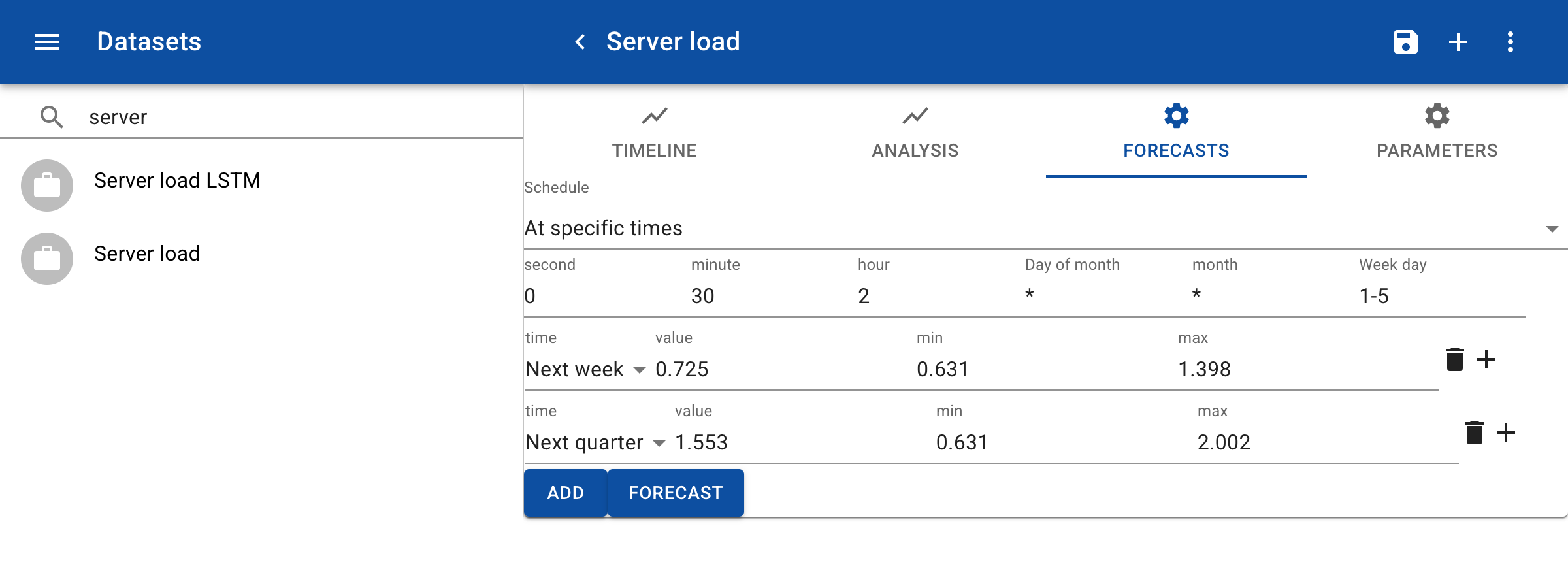
In this example we create a forecast for CPU usage for next week and next quarter. In the dataset click on the tab Forecasts. Click on the Add button to add a forecast. In the forecast, enter the period, for example Next quarter. You can add multiple forecasts for a topic. Click on Forecast to calculate the forecast. The Value shows the predicted value. The Min and Max show the minimum and maximum values in the period until the time and date for the forecast. In case of server load, you may want to ensure that the maximum predicted load at any day or hour is below a certain level. In the Schedule you can define an interval for retraining the model based on the latest data. You can select one of the standard options like Every day or enter a custom period according to the 'cron' definition. In this example, the model is retrained every work day on 2:30 at night.
Monitoring
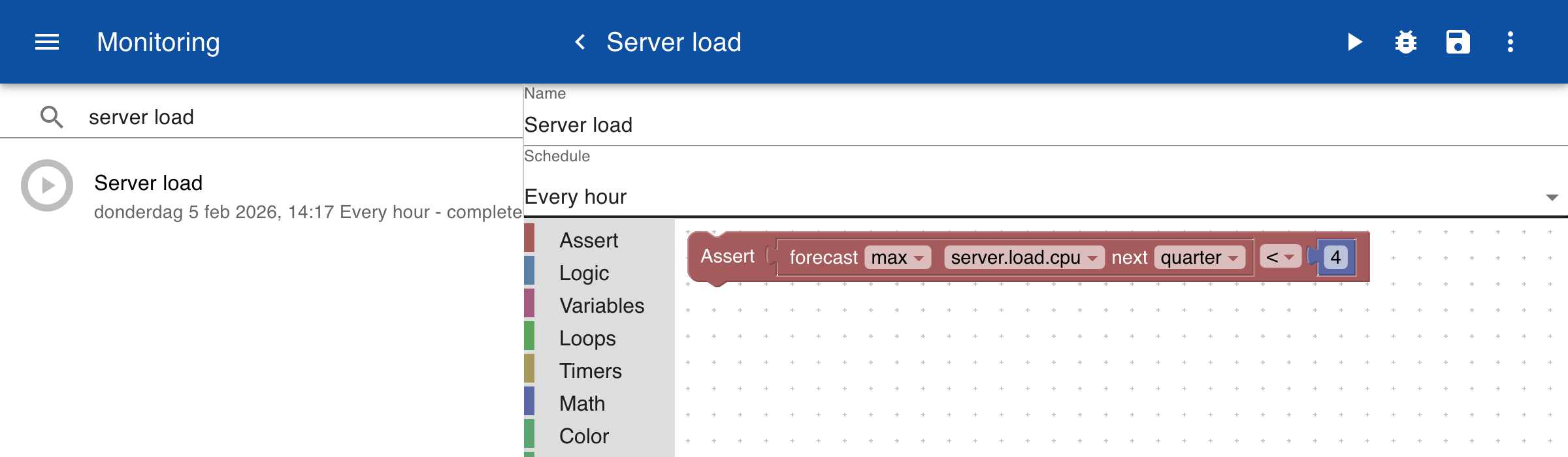
You can use the calculated forecasts in the monitoring module. In the Monitoring module create a new item and open the Assert block library. In the example below we have entered an Assert block that is satisfied as long as the forecasted maximum value for the next quarter is below '4'.