JSON
JSON is the most widely used format for data exchange. Importing JSON works similarly to CSV, except that JSON data can be nested into a hierarchy. The keys in the JSON file correspond to the column headers in CSV.
Object mapping
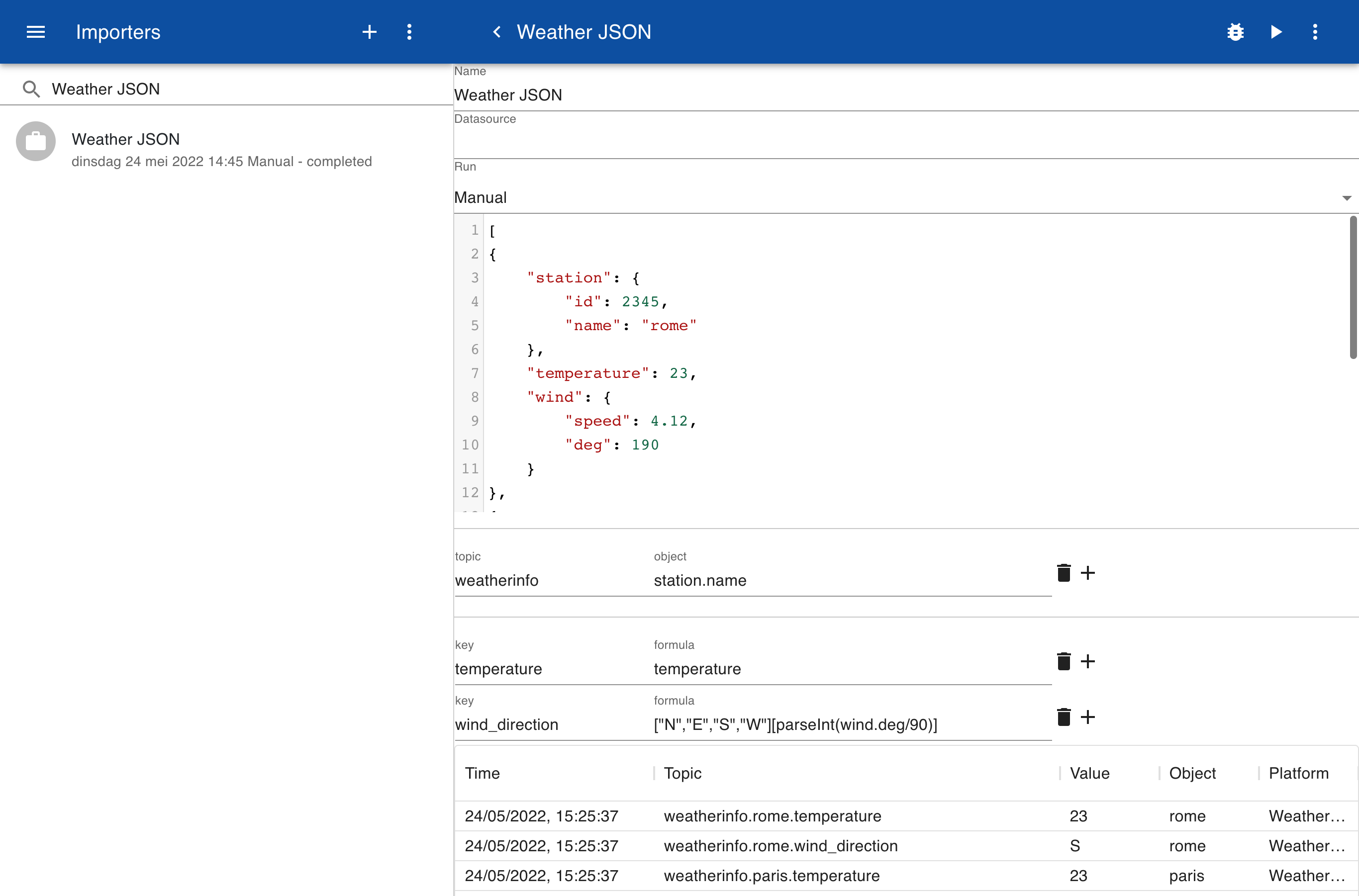
The example below shows a JSON data file for weather information. Select Object from the menu to add a new object mapping and specify the field that you want to use to identify your object, in this case station.name.
Key mapping
In the key mapping you can enter an expression that uses any fields in the JSON data. For example, you can use the field wind.speed or wind.deg. A JavaScript expression can be used to convert the wind direction in degrees to a character N, E, S, W.